Translate

Showing posts with label Apps. Show all posts

Thursday, February 7, 2019

Whatsapp's new Banning Technique

Image result for whatsapp ban
WhatsApp is used by over 1.5 billion people, and according to industry estimates, it is now Facebook’s most popular service. But Whatsapp has lots of problems like fake news, disturbing content, fake account and many spams. Whatsapp has very focused on this problem very crucially. Therefore to deal with this Problems WhatsApp has brought many changes to it. India is the country which is the WhatsApp's largest market. The government of India is inspecting the services of the WhatsApp very closely.

According to VentureBeat, At the press in New Delhi, Company executive said that they have built a machine learning system to detect and remove out users who engage in inappropriate behavior, such as sending huge messages and creating multiple accounts with the sole purpose of spreading questionable content on the platform.

How it is going to happen:-
Image result for whatsapp

The company has said that Whatsapp had to ban about 2 million accounts every month. One of its spokespeople has said that the Seventy-five percent of 2milion account that is banned in the Whatsapp is not even handled by a human. Whatsapp software engineer Matt Jones has said that They have found the new machine learning system that allows the WhatsApp to ban 20% of its account at the time of its registration. He has also said that before applying this baning policy the system looked on various factors. The system will be able to detect whether the account is new and if the account started sending a ton of messages immediately after registration.

 Matt Jones says some Users has also misused the platform by using “special software” to run multiple WhatsApp accounts on one computer. The engineer adds that they also found devices that support “dozens” of SIM cards. WhatsApp looks at various factors, including the user’s IP address and the country of origination for phone numbers used to sign up for the service (and whether both are pointing to the same location), how old the account is, and many more.

Saturday, January 26, 2019

New features of Android Q


Image result for android q
Android P is one of the latest android version until now. many of the Smartphones have upgraded to Android P. But some of the phones are still waiting to get the Android P. Now Google is moving ahead of this version. The Mountain View Company has Started on its new project of Android Q.
As you know Android P had come with all new feature like never seen before and now Android Q will also come with the new feature. Here is some of the feature of Android Q according to Android Authority points by points.

Dark Mode:-
Image result for android q dark mode

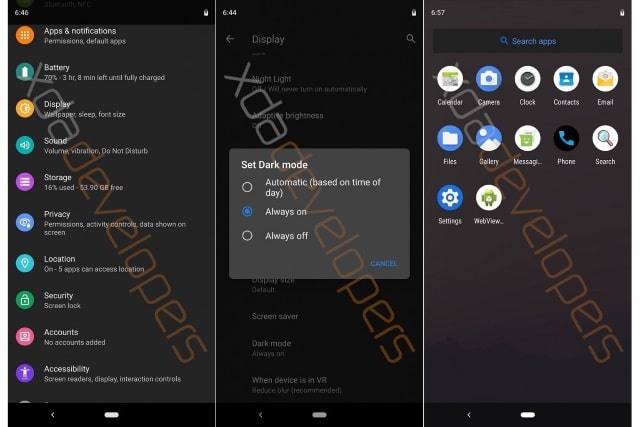
XDA developers have Shared the image of an early build of Android Q, with some of the main features of Android Q. The major attracting feature of  Android was its new Dark Mode to its Operating System. The Dark mode can be applied to Setting Menu, launcher, Notification Slide, and other UI elements. The Dark Mode can be either be permanently enabled or can be switched on at when you want it. The main advantage of this Dark Mode is it will reduce the eye strain at night and also by improving battery life of OLED phones.

Granting Permissions:-
Image result for phone permission
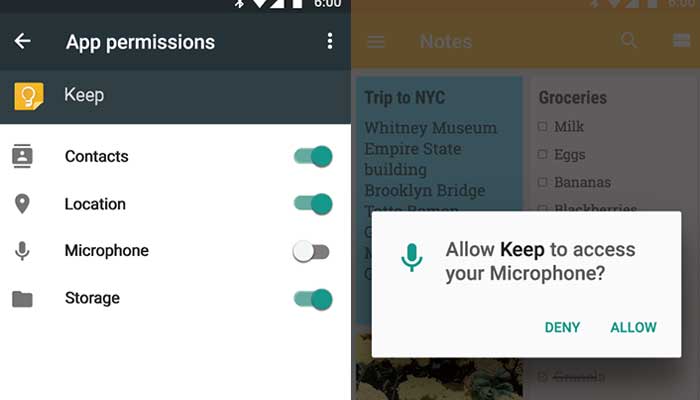
Some app requires permission from you to get access to some of the service. By doing this app can present their performance. But some of the apps still use the services even when they are not in use. To tackle, this Android Q has its new feature of Granting Permission. In this new feature, you can allow app selected by you, to use certain permissions, only when the app is activated. this feature can be so useful to privacy concerned individual. By doing this battery life can also be improved.

Desktop Mode:-
Image result for phone desktop mode
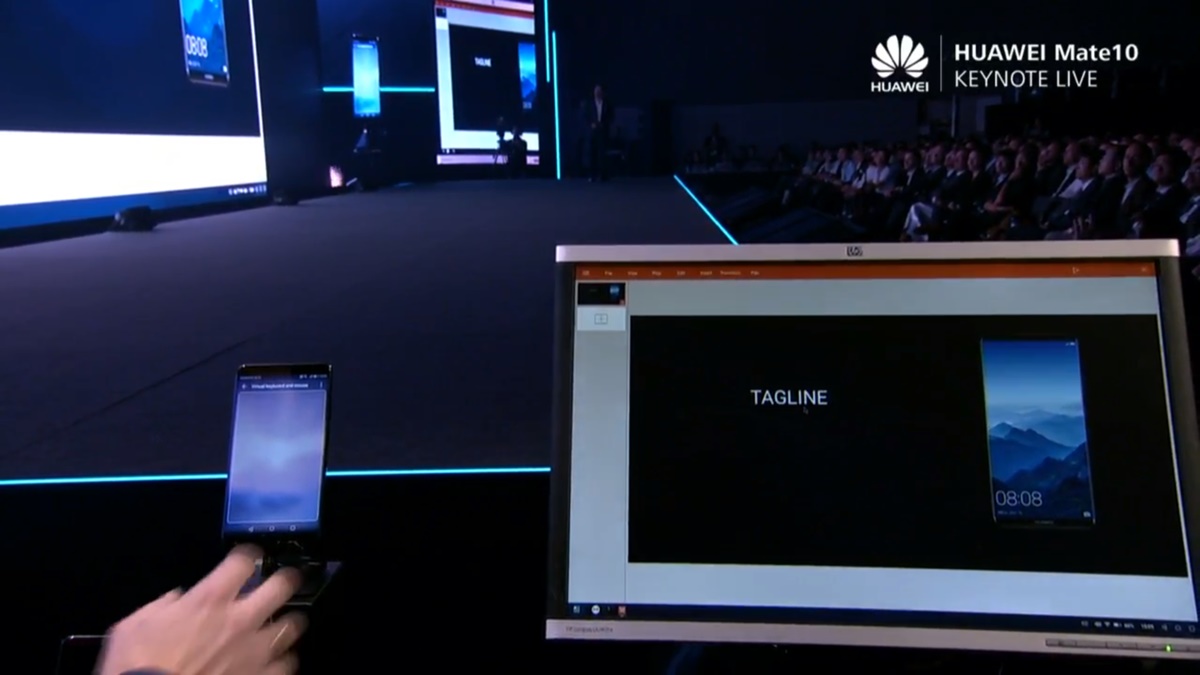
Desktop Mode has been seen in recent smartphones like Samsung and Huawei. The user interface changes to something similar appearance like a desktop computer, when the phones are connected to a larger display. On new Android Q, this desktop mode is also added to get the experience of PC-like home screen, a start menu, resizeable app window, and ability to use Keyboard and mouse. XDA's developers have gone deep in analysis of the Android Q feature topic and had provided the reference to desktop mode. 

More Secure lock:-
Image result for phone lock screen


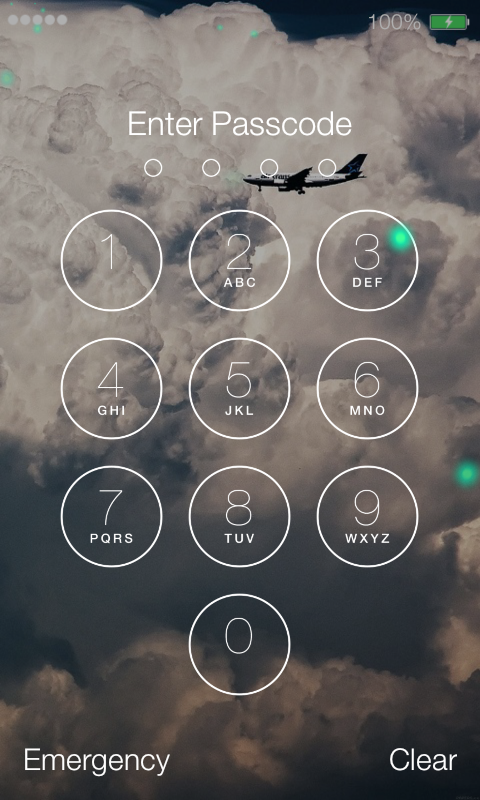
It is necessary to keep our phone locked when it is not in used. It is Done because the phone should not be used by an unauthorized user. The Google has started this smart lock from the lollipop version. Android Q has more secure Smart lock. The feature allows you to unlock the phones based on your location like your home, Bluetooth Device like Fitness Band, or when you are carrying it. the first version of Android Q had two smart locks, the first options let you use the smart lock to extend the unlock period of your device and second options simply locks the phone when the trusted companion device is no longer trusted.

SO this all information we could get from various sources. There is also some feature like scrolling screenshots and screen recording but it is not totally revealed yet. Thank you for reading...


Samsung may soon launch its chepest 5G phone

Hi guys! it's great to write this blog again after so long time and interact with you, sorry I cannot be able to write blogs past these ...