Translate

Sunday, March 31, 2019

How to Backup your phone data

Image result for Backup
Your phone's data is very precious things for today life. For that phones are getting better day to day for backing up your phone's data. But unfortunately, if you lose your phone or gets stolen away then your phone's data is also lost with it. TO prevent this there are many ways to back up your data, ensuring that even if something happens to your phone, you won't lose your important presentations or funny& embarrassing photos with your friends and family. So here's how to properly backup your phone's data to make sure you won't find yourself in a situation where you end up with lost data.

Google Photos:-
Image result for google photos backup
Google photo is the easiest way to back up your photos and videos. If you don't use Google Photos, Then you should be using it. The service automatically backups your photos and videos you take to cloud, so you will never have to manually backup your data ever again. The best part about Google Photos? You can upload as many files as you’d like for free. Photos and videos will have a maximum upload quality of 1080p for the free unlimited storage option, which is good enough for most people. You can download the google photos from here. After you install the app make sure you have enabled automatic backup option. For doing that follow these simple steps.

  1. open the Google Photos app.
  2. In the Menu, Go to setting option.
  3. click on Backup & sync.
  4. and lastly, turn the switch on. 
If you want to keep the original resolution quality of Photos and Videos, Then you can, But it will take more space in Google Drive Storage. By doing these simple steps you can also check your Google Photos Upload quality. 
  1. Open the Google Photos App
  2. In the menu, Click on the Settings.
  3. Tap on "Backup & Sync"
  4. Tap on "Upload size"
  5. Choose From the Following options(High Quality with free unlimited storage, Original Quality with Google Drive Storage)
To Backup other files:-
Image result for Google Drive
Any important data like Presentation or PDF or any Document can also be backup using Google Drive. Google Drive let you store other files in the cloud, and it can be accessed with any device connected to it. If you Don't have Google Drive App download it from here. To upload any files in Google Drive storage Follow these simple steps.

  1. Open the Google Drive App.
  2. Click on "+" Button.
  3. press "Upload"
  4. Select the Files You want to back up and it's Done.
Backup Setting and Apps:-
To Backup your Phone's setting and apps, then you have to use Android Backup service. This service helps you to backup The Apps that you use and Setting that you have selected in most Google Apps, Making it easy to restore those setting on your new phones from the old phone. For a complete list of what gets backed up with Android Backup Service, just check out here. To use this Backuping service Follow these steps

  1. Open your smartphone’s Settings app
  2. Scroll down to “Accounts and Backup” and tap on it
  3. click on ‘Backup and restore”
  4. Toggle on the “Back up my data” switch and add your account, if it’s not there already.
Other Apps For back up in Unrooted Phones:-
Image result for super backup and restore
There are a ton of great apps out there for backing up your data, and one of the best is Super Backup & Restore.  It allows you to back up individual items on your phones, such as apps, contacts, SMS, calendars, voice calls and more. But It is a Paid App.
  1. Download Super Backup & Restore and open it
  2. You will see a list of item categories that you can backup (Pictures, Apps, etc)
  3. Select which category you want to backup
  4. Select the individual items you’d like to include in your backup
  5. Tap on “Backup”
That's it, Was'nt that easy?

Other Apps For back up in Rooted Phones:-
Image result for Titanium Backup
By rooting Phones, it will help you to Backup a few more things. By rooting your phone, just about everything on your phone can be restored, including things like app settings, system data, and even Wi-Fi passwords. One of the best app for backing up a rooted phone is Titanium Backup.  While Titanium Backup certainly looks a little outdated, But it’s a powerful app indeed. Here How to backup using Titanium Backup.
  1. open the app
  2. Tap the menu button in the top-right corner and select ‘batch actions’
  3. Select everything you want to backup
  4. If this is the first time you’re backing up your device, you’ll at least want to select ‘backup all user apps’ and ‘backup all system data’
  5. You can also choose to back up the files to Dropbox or Google Drive, which you may want to do in case you lose your phone
  6. You can also opt to create a recovery compatible .zip backup file
  7. This ensures that even if your phone’s system files become corrupt or something else happens that prevents you from being able to boot up your phone, you’ll be able to restore your phone from the backup 
For a full explanation of how to use Titanium Backup and how it works there is an article from AndroidAuthority, right here.

Backing up data in Computer:-
IF you want to back your important data in the Computer, you can do that too. Luckily, this is pretty easy to do, and the process is pretty much the same whether you’re a Mac or PC user. But there is one thing that is in Mac you need to download and install Android File Transfer App. here how to back up in computer
  1. Plug your phone into your computer with your USB cable
  2. On Windows, go to ‘My Computer’ and open the phone’s storage
  3. On Mac, open Android File Transfer
  4. Drag the files you want to back up to a folder on your computer. That's it.
So this is How to back your important data from the phone in this many way. If you know more ways to do that comment down in the comment sections.thank you for reading hope you like it if you like it then share it and follow my blog down below. And also follow My Facebook Page right here.


Friday, March 29, 2019

Twitter's Dark Mode is here

Image result for twitter dark mode
Back in January, Twitter's CEO Jack Dorsey started the rumors of working of twitter dark mode by replying to the Wall Street Journal Columnist Christopher Mims's tweet. In that, he said that they are working on the twitter ark mode but did not clarify when. But now the rumors have stopped because the twitter just gave the announcement of Twitter's new dark mode yesterday.


They did not clarify in the announcement but it is assumed that dark mode called "Light out" is rolling out in both Android as well as iOS apps right now.

Many of its users have reported that they did not find this update yet. To solve this problem Twitter has released a video showing how to enable the new dark mode and how to enable the "Light out" options


The Advantage of this Dark mode will be as Battery-Saver for OLED displays since OLED is more popular than ever right now. This can be the main reason that twitter dark mode can be warmly welcomed by the twitters user.

That's all thank you for reading hope you like it if you like it then share it and follow my blog down below. And also follow My Facebook Page right here.we will bring more updates if there is any. In meanwhile are you excited about this new dark mode? Comment your answer below.

Wednesday, March 27, 2019

What Is Pixel Binning in smartphone Photography


Related image
The Term "Pixel Binning" regularly comes in a talk that is related to smartphones Photography. The Term is Very important in the term of photography in phones but not everybody has knowledge about it. Today I am going to Explain the Pixel Binning. What exactly it is?

Pixels:-
Image result for pixels
To understand Pixel Binnig better, you have to understand what is Pixels first. The pixel is also called as photo sites, it is a physical element which is on the camera sensor that captures the light during photography. Pixel is usually measured in micron (a millionth of a meter). Pixel size measured below one-micron os considered as small one. You should always have large pixels as compared to small pixels because a large pixel can capture more light than smaller pixels. Capturing more light means, you can take a clear photo even in low light or when the light is dim like in the pub. There are various phones like iPhone XS Max, Google Pixel 3, and many more whose cameras offer large 1.4 microns pixels.

Pixel Binnig:-
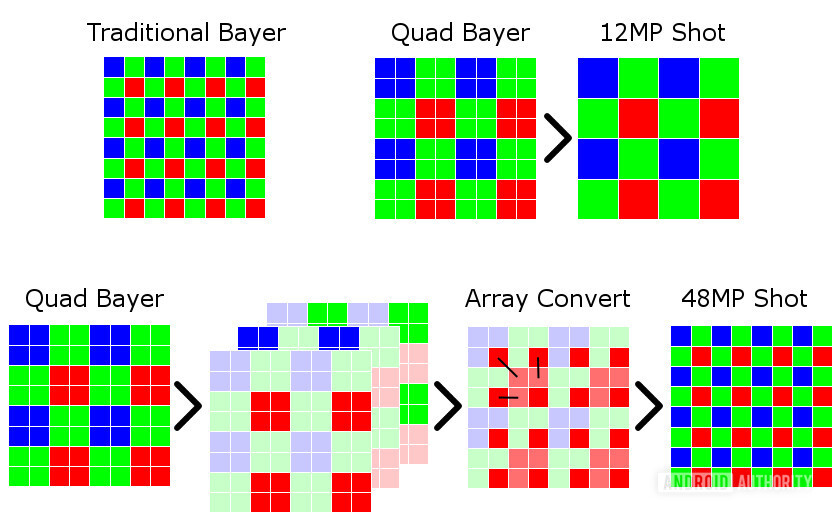
Pixels binning is a process of seeing data by the help of four pixels that are combined into one. So a camera sensor with tiny 0.9-micron pixels will produce results equivalent to 1.8-micron pixels when taking a pixel-binned shot. the disadvantage of this technique is that your resolution is effectively divided by four when taking a pixel-binned shot. So that means a binned shot on a 48MP camera is actually 12MP, while a binned shot on a 16MP camera is only four megapixels. Pixel binning is generally made possible thanks to the use of a quad Bayer filter (a color filter used in all digital camera sensors for capturing an image with the red, green and blue color) on camera sensors.
A quad bayer filter used in smartphones with pixel binning.
A standard Bayer filter is made up of 50 percent green filters, 25 percent red filters, and 25 percent blue filters. Once this image is captured, it is inserted into and processed to produce a final, full-color image. A  quad Bayer filter makes a group of these colors in clusters of four then uses software-based array conversion processing to enable pixel binning. The cluster arrangement delivers extra light information during the array conversion process, making it better than simply upscaling to 48MP. By use of Quad Bayer filter and pixel binning t=can help you to take high-resolution shots during the day time and low resolution, pixel-binned shots at night due to low light.
Image result for huawei nova 4 camera
Devices like Xiaomi Redmi Note 7 series, Xiaomi Mi 9, Honor View 20, Huawei Nova 4, Vivo V15 Pro, and the ZTE Blade V10 are offering pixel binning options. There are also devices like LG’s G7 ThinQ and V30s ThinQ with a low-resolution camera offering pixel binning options. brands like Xiaomi has also adopted 16MP and 20MP cameras with pixel binning, such as the Xiaomi Redmi S2 and Mi A2 respectively.

That's all, thank you for reading hope you like it if you like it then share it and follow my blog down below. And also follow My Facebook Page right here.

Monday, March 25, 2019

VLC 3.1 brings auto support

Image result for Vlc 3.1 for android
VLC is one of the best media players of all time, because it not only can it open just about every type of video and audio file in existence, but it works on just about every platform too. VLC 3.1 will be available out soon on the Play Store, and it has plenty of useful additions

The main changes made was for Android users that is probably Android Auto support, which was first implemented in late 2017 but removed a few months later. 
Image result for Vlc 3.1 for android
Some other changes include support for local SMB v2/3 servers, external storage support on Chromebooks, the addition of launcher shortcuts, and the ability to browse files on OTG devices.

Here are the changes made in VLC 3.1:

  1. Mobile:


  • minSDK is now 17 (Android 4.2)
  • Onboarding screen for new users
  • Option to group videos by folders
  • SMB 2/3
  • Android Auto is back!
  • External storages support on Chromebooks (ChromeOS v72+)
  • Launcher shortcuts
  • OTG devices browsing
  • A-B repeat
  • Sorting preferences are now saved
  • Improve support of very large media libraries
      2. Android TV:

  • Homescreen channels
  • Media sorting and videos grouping
  • Manual network share setting
It's not clear if v3.1 is already rolling out to non-beta users on the Play Store. If you want to get the update right now, sign up for the beta program or download it from APK Mirror.

That's all, thank you for reading hope you like it if you like it then share it and follow my blog down below. And also follow My Facebook Page right here.

Saturday, March 23, 2019

All Rumors of Huawei P30 and P30 Pro

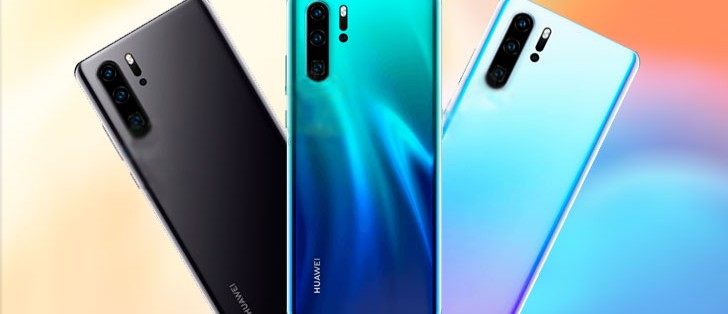
Image result for huawei p30 and p30 pro specs
Huawei is back to business by the launch of its new phone called Huawei Mate X at MWC 2019. After Its Mate 20 Series Phones and Mate X now Huawei is getting ready to launch its new P series phones.  Judging by the leaks and rumors, the Huawei P30 and P30 Pro are expected to once again up the stakes for Huawei’s photography-focused product line. Here's more detail about phones like Huawei P30 and P30 Pro.

Design:-
Image result for huawei p30
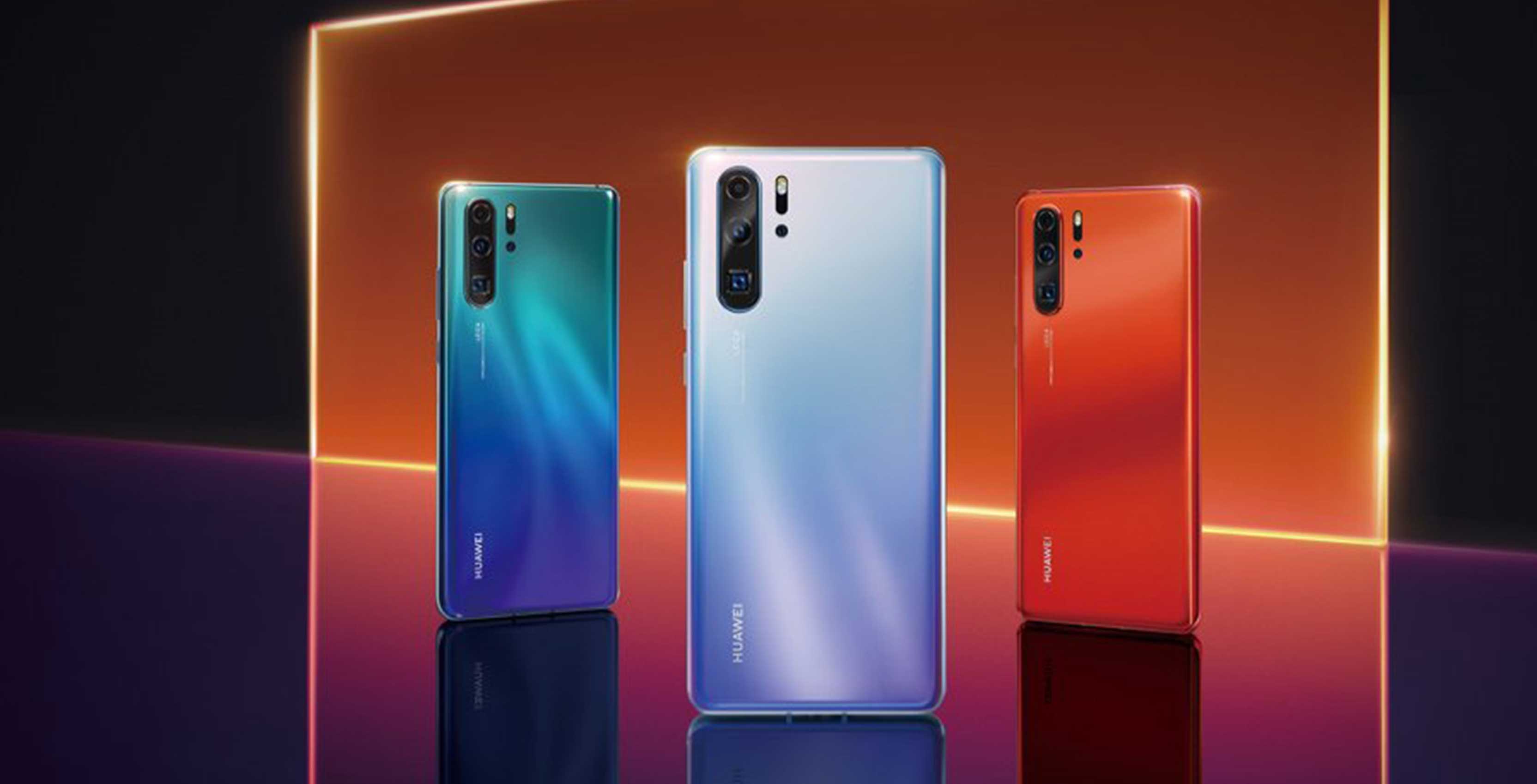
The First glimpse of Huawei P30 and P30 Pro was seen in back January at 91mobiles. The P30 phone series has Metallic body and Vertical camera module and waterdrop notch display. The biggest change made in these phones is their Third camera lens which makes it different from P20 series which had an only dual camera. The Third camera of these phones will have a different shape from the upper two cameras, it will have a square-shaped design lens. The P30 series will have Display fingerprint sensor which was missing in the Mate 20 model. The rear-mounted headphone jack was also notable as the 3.5mm port was missing from the P20 series. The Huawei P30 Pro will have a large display like Samsung's Infinity Display. These phones will come in various color like Black, Blue, Red, and Orange which is named as "Sunrise".

Specifications:-
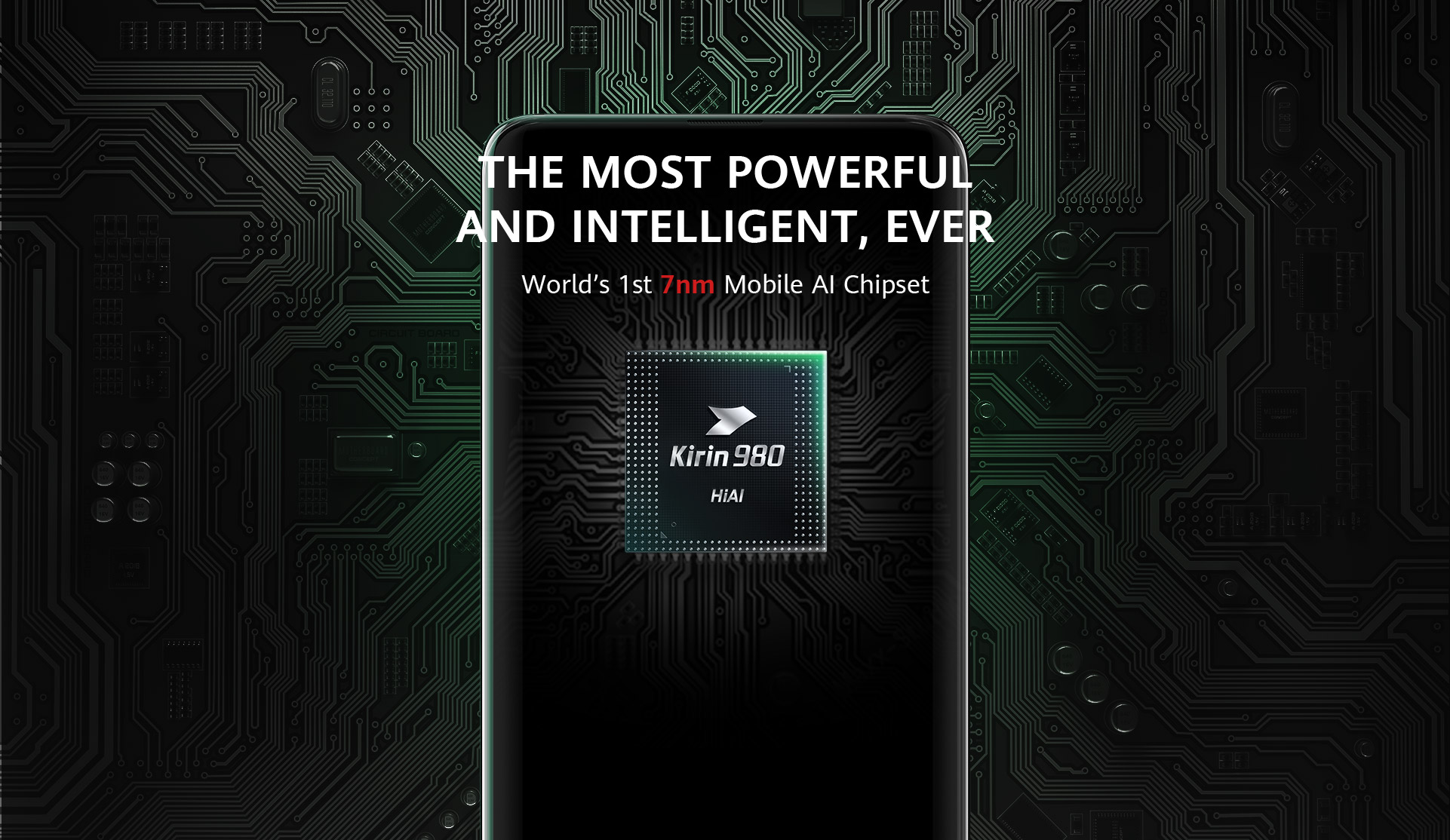
Image result for Kirin 980 SoC
The P30 has a 6.1-inch OLED display, a 3,650mAh battery, and a Kirin 980 SoC backed by 6GB RAM and 128GB storage. The Pro has the display up to 6.47-inches but has the same 2,340 x 1,080 resolution. It has a battery of 4,200mAh, RAM of 8GB, and storage upto128/256/512GB, respectively. The Pro model is expected to be IP68 rated and features 40W fast charging like the Mate 20 Pro, although it’s unclear if Huawei’s reverse wireless charging technology will be included. Talking About its camera then P30 has a 40MP main sensor, a 16MP wide-angle lens, and an 8MP telephoto lens camera. The Selfie Camera on both P30 and P30 Pro will be expected to have a 32MP camera.

Release Date:-
Image result for p30 release date
Huawei has Confirmed its new phones launching date that is on 26 March 2019 at Paris, just a week before the start of MWC show at Barcelona. A teaser on Twitter was accompanied by the hashtag #rewritetherules and a video which zoomed in on famous French landmarks.
 Price:-
P30 will come in at around or below 799 euros that is at $927 and  P30 Pro will be available at 1,049 euros that is at $1,217  asking price. That’s all the Huawei P30 and P30 Pro rumors we’ve seen so far!.

That's all, thank you for reading hope you like it if you like it then share it and follow my blog down below. And also follow My Facebook Page right here.
Monday, March 18, 2019

Redmi 7 Revealed

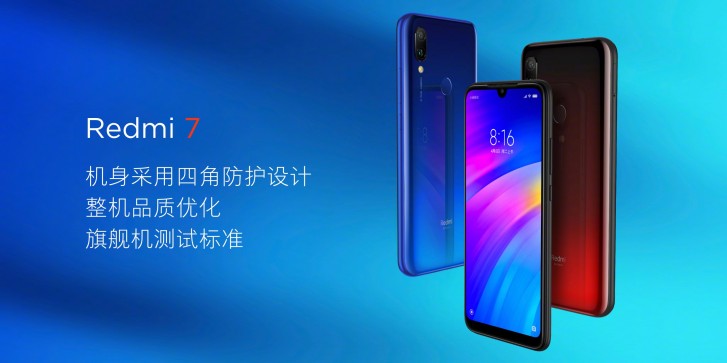
Image result for redmi 7
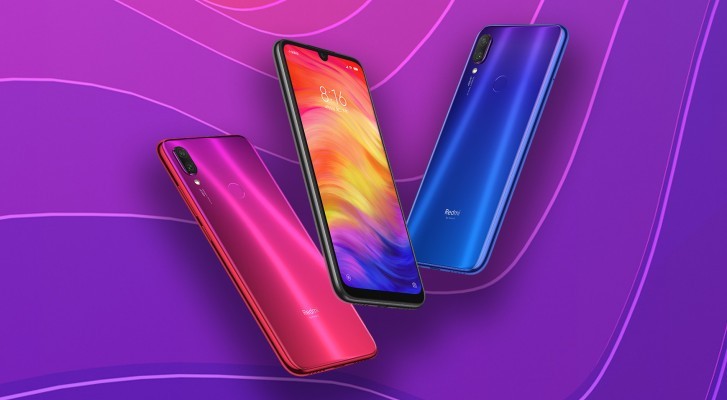
There had been rumors of new redmi 7 from the while but now the redmi has now revealed its new Phone which will be called as Redmi 7

This Latest phone of the Xiaomi Redmi 7 phone comes in three variant the First is of 2GB ram and 16GB internal storage, second has 3GB Ram and 32GB  internal storage and third has 4GB Ram and 64GB  internal storage and three of these have expandable storage too. It has 6.26 inches HD= display and IPS LCD touchscreen with the protection of Gorilla Glass 5. Xiaomi has also applied p2i water-resistant coating to make it secure from rain and water splashes. And it also has massive 4,000 mAh battery for you to work a long time.
Image result for redmi 7
Xiaomi has a dual camera, furs camera is of 12MP and second is of the 2MP depth sensor. It also has a Selfie camera within the waterdrop notch which offers the 8MP camera. Selfie camera has also a capability to unlock the phone with the help of its Face recognition.

Full Specifications of this phone:-
Dimensions           158.7 x 75.6 x 8.5 mm (6.25 x 2.98 x 0.33 in)
Weight                   180 g (6.35 oz)
SIM                        Dual SIM (Nano-SIM, dual stand-by) - P2i nano hydrophobic coating
display type           IPS LCD capacitive touchscreen, 16M colors
Size                         6.26 inches, 97.8 cm2 
Resolution             720 x 1520 pixels, 19:9 ratio 
Protection             Corning Gorilla Glass 5
OS                          Android 9.0 (Pie); MIUI 9
Chipset                  Qualcomm SDM632 Snapdragon 632 (14 nm)
CPU                       Octa-core (4x1.8 GHz Kryo 250 Gold & 4x1.8 GHz Kryo 250 Silver)
GPU                       Adreno 506
Card slot                microSD, up to 512 GB (dedicated slot)
Internal                  64 GB, 4 GB RAM or 32 GB, 3 GB RAM or 16 GB, 2 GB RAM
Camera                 12 MP, f/2.2, 1.25µm, PDAF, 2 MP, depth sensor
Features                 LED flash, HDR, panorama
Video                      1080p@30/60fps
Selfie Camera        8 MP
Features                 HDR
Video                      1080p@30fps
USB                        micro USB 2.0, USB On-The-Go
Sensors                  Fingerprint (rear-mounted), accelerometer, proximity, compass
Battery                Non-removable Li-Po 4000 mAh battery
Charging              Fast battery charging 10W

The Redmi 7 starts at 699 yuan that is at $104 for the 2GB/16GB variant, 799 yuan that is at$119 for the 3GB/32GB model, and 999 yuan that is at $149 for the 4GB/64GB option. Xiaomi’s device will be available in black, blue and red color.

That's all, thank you for reading hope you like it if you like it then share it and follow my blog down below. And also follow My Facebook Page right here.

Friday, March 15, 2019

Arrested For playing PUBG Mobile


Image result for pubg ban
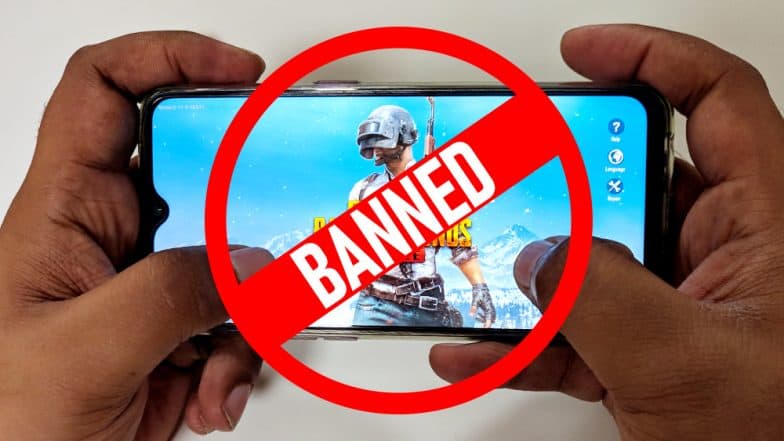
PUBG is one of the top Games in the world today. There are many games which are giving tough to PUBG like Fortnite, Apex Legend and many more But PUBG is still at the top. But People and students are getting addicted to this game results in the ban of this Game in states like Gujrat in India.

According to Indian Express, 16 students have been arrested for playing PUBG in India. 10 university students were arrested for playing PUBG Mobile a week after a ban was instituted in the state of Gujarat. The students were released on bail. After this incident, Six more students, between the ages of 18 and 22, were reportedly arrested in the early hours of Thursday morning. These students were also released on bail. One of the Police official "Rohit Raval" there said: "This game is highly addictive and the accused were so engrossed in playing them that they could not even notice our team approaching them."


Many people like this act while some others did not like this act of the government. Ther well good as well as the bad comment that the people posted in their twitter accounts.


The Ban was issued on the PUBG mobile only, but it did not affect other multiplayer games like Fortnite. The ban was reportedly issued due to concerns about the game’s impact on players’ “behavior, conduct, and language.” PUBG Mobile remains legal in other Indian states to Expect Gujrat.

It is not the first time a game is banned in India. There are many games like Overwatch, Smite Call of Duty and many more are banned in India due to some reasons but not this far. 
Image result for pubg ban
Furthermore, PUBG Mobile has a 16+ age restriction on the Play Store, and Google offers a Family Link(Google Family Link is a mobile app that lets you set digital rules for your child’s access to their smartphone, tablet or Chromebook.) service to help parents monitor and limit what their kids are doing. In other words, Google has provided at least some tools to help control young people’s access to inappropriate content.

That's all, thank you for reading hope you like it if you like it then share it and follow my blog down below. And also follow My Facebook Page right here.

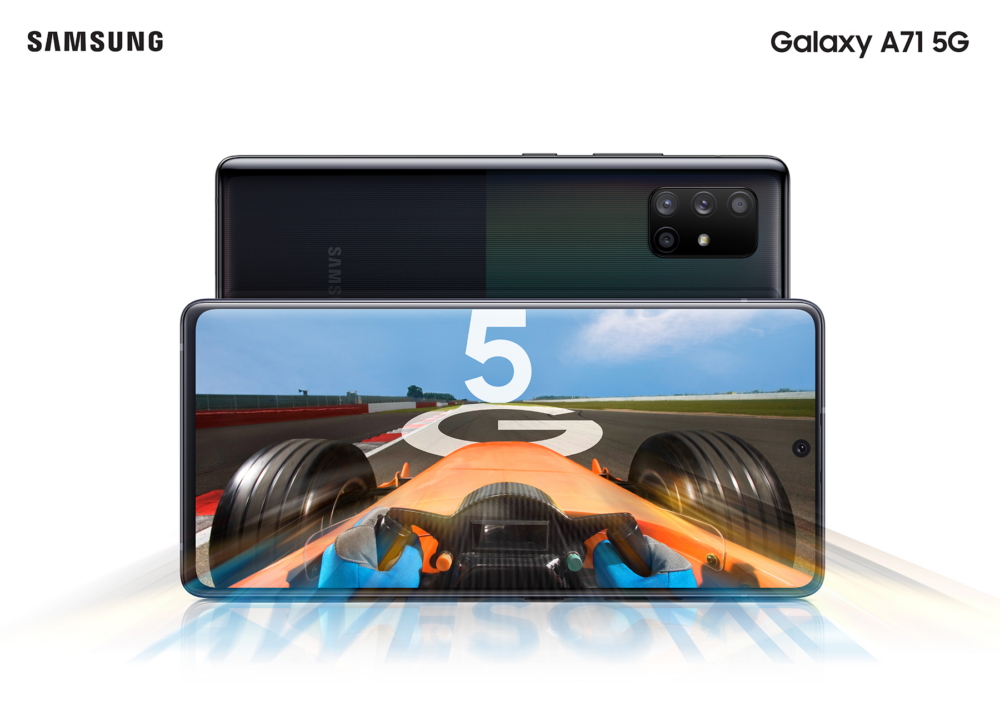
Samsung may soon launch its chepest 5G phone

Hi guys! it's great to write this blog again after so long time and interact with you, sorry I cannot be able to write blogs past these ...